DELMIAWorks Manufacturing ERP
One database from quote to ship. Production scheduling, inventory, and shop-floor control built around how discrete manufacturers actually work.
Seven modules. One database. What each one does and who needs it.
Most ERP vendors let you piece together modules from a catalog. DELMIAWorks ships them as a unified system — every module writes to the same database. The table below maps each module to the specific operational problem it solves.
| Module | What It Does | Who Needs It | The Pain It Solves |
|---|---|---|---|
| ERP Core | Single-database business management — quotes, orders, production, inventory, invoicing, and financials in one application | Operations owners, finance teams, management | Reconciling order status, costs, and inventory counts between your accounting software, spreadsheet, and production tracker |
| Manufacturing Software | Production scheduling, work order management, BOM and routing control, finite capacity planning | Production managers, shop schedulers, operations leads | Jobs starting late because the schedule lives on a whiteboard or in someone’s head — and nobody sees a capacity conflict until it’s already a missed date |
| MES | Real-time visibility into every job, machine, and operator on the floor — OEE, downtime, yields, in-process inspection | Plant managers, ops leads, anyone running a multi-machine or multi-shift operation | Knowing whether a job is on schedule without walking the floor; catching machine downtime before a shift ends |
| QMS | Inspection plans, nonconformance reports, corrective actions, audit trails, and certificate of conformance generation | Quality engineers, compliance leads, AS9100 / ISO / IATF shops | Managing audits from binders and spreadsheets when customer certification requests start coming in faster than you can respond |
| WMS | Bin-level inventory tracking, receiving, kitting, cycle counting, lot and serial number traceability | Warehouse leads, inventory managers, shops with multiple storeroom locations | Wasting hours looking for raw material you know you received, or holding up a shipment because the finished part is “in the warehouse somewhere” |
| EDI | Automated customer purchase orders (850), advance ship notices (856), and invoices (810) without manual re-entry | Operations managers at shops supplying Tier 1 or Tier 2 automotive, aerospace, or defense customers | Re-keying customer POs into your system every time one arrives, then re-keying your ASN back into their portal when you ship |
| Supply Chain | MRP-driven purchasing, supplier portals, vendor lead time management, and demand planning | Purchasing managers, procurement leads, shops sourcing across multiple vendors | Running short on raw material because reorder points live in a spreadsheet that’s two weeks behind actual demand |
Click a module name to jump to the detailed section below.
One database. Every department. No middleware.
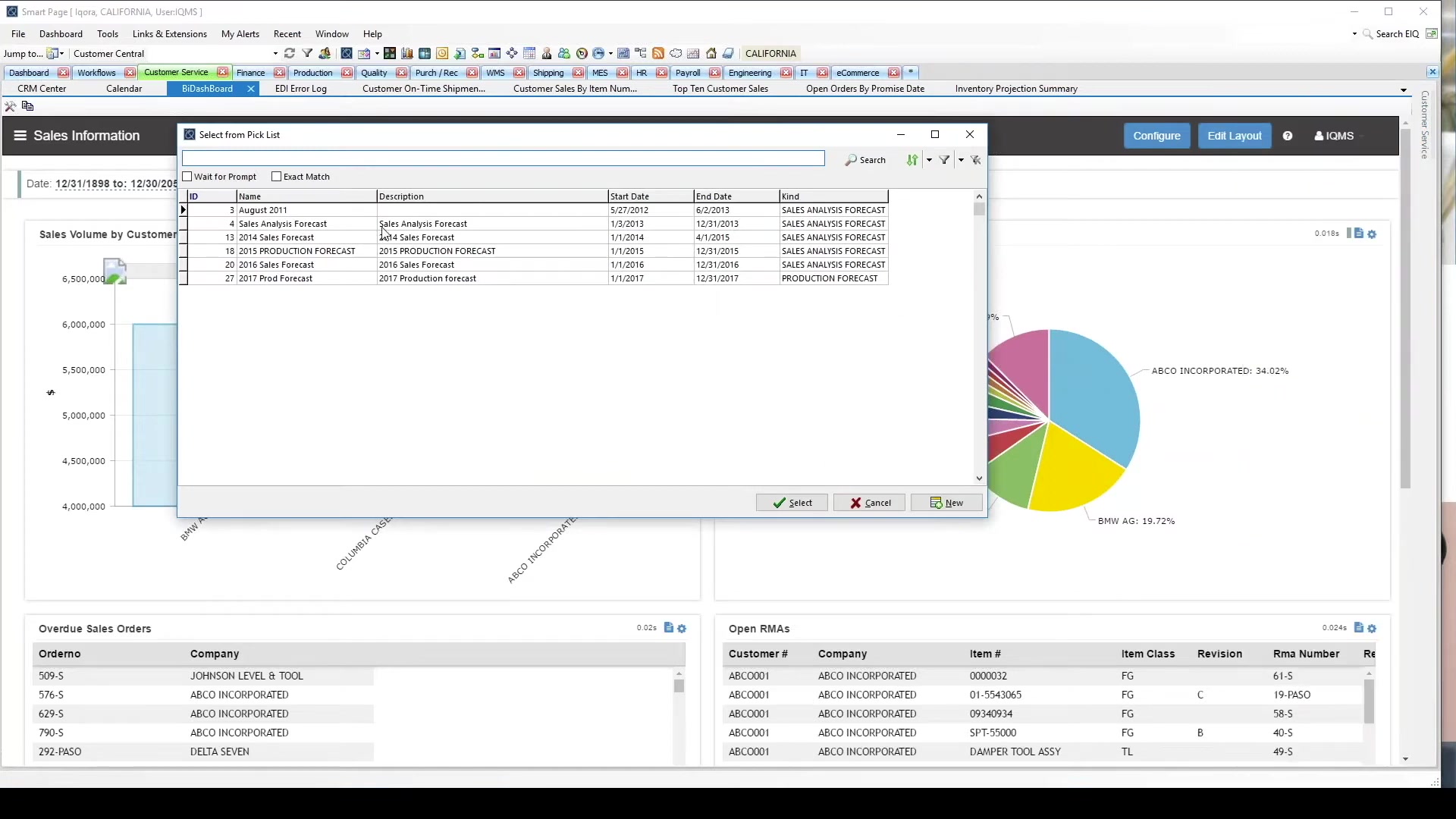
DELMIAWorks is a manufacturing ERP platform built specifically for small-to-mid-size discrete manufacturers. Every module—production, quality, inventory, shop-floor tracking, EDI, and supply chain—runs off a single database. When your quote, your work order, your inventory count, and your shipping record all live in the same system, you stop reconciling data between applications and start running your shop.
Formerly known as IQMS ERP, DELMIAWorks is its direct successor following Dassault Systèmes’ 2019 acquisition.
 Part of the Dassault Systèmes 3DEXPERIENCE Platform
CAD to ERP from one partner, not four
Most ERP vendors describe their SOLIDWORKS integration as “seamless.” What that usually means: a connector that requires its own maintenance cycle, custom field mapping that breaks when either system updates, and a separate conversation with a separate vendor every time something goes wrong.
Morphos sells SOLIDWORKS Design, SOLIDWORKS CAM, SOLIDWORKS PDM, and DELMIAWorks from the same practice. When we scope your ERP engagement, we know where the PDM vault is, what your BOM structure looks like, and which machines your CAM post-processors run. That changes what the conversation looks like.
Every step in that pipeline is a conversation Morphos can have from experience, not from a datasheet. If your shop already runs SOLIDWORKS and you’re evaluating ERP, the integration angle is worth a call.
Built for discrete manufacturers
DELMIAWorks is purpose-built for manufacturers who make distinct, countable things. Select your operation type to see how it applies.
Job shops: high mix, low volume
Every job is different, and your scheduling needs to reflect that. DELMIAWorks finite scheduling builds around your actual machine capacity and tells you whether a due date is achievable before you commit. Work orders, routings, and job costs are tracked from release to shipment in a single system.
- Finite capacity scheduling around your machine mix
- Make-to-order and configure-to-order modes
- Real-time job costing — no month-end surprises

Contract manufacturers: visibility from PO to ship
When your revenue depends on hitting customer delivery dates across dozens of concurrent jobs, you need a system that surfaces problems before they become shipment failures. DELMIAWorks connects the sales order to the work order to the shop floor to the invoice — every department working from the same data.
- EDI integration for automated customer PO handling
- On-time delivery tracking by customer and job
- Quality documentation per shipment without manual assembly
OEM suppliers: audit-ready, traceable
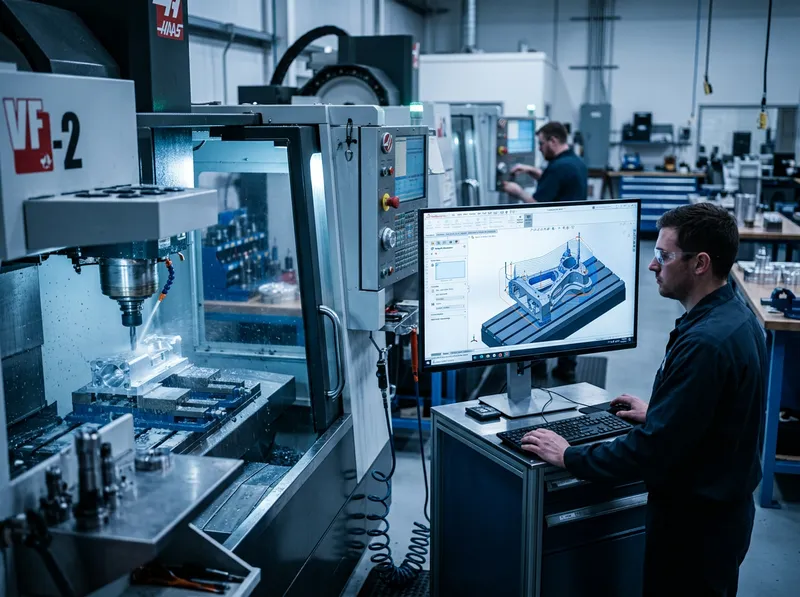
Tier 1 and Tier 2 suppliers face increasing documentation and compliance pressure. DELMIAWorks QMS is built for AS9100, ISO 9001, and IATF 16949 environments — quality records are tied directly to the jobs that generated them, not assembled from separate systems after the fact.
- Lot and serial traceability from raw material to shipment
- Certificate of conformance generation per shipment
- Supplier quality management and CAPA tracking
Precision machining: from SOLIDWORKS to the floor
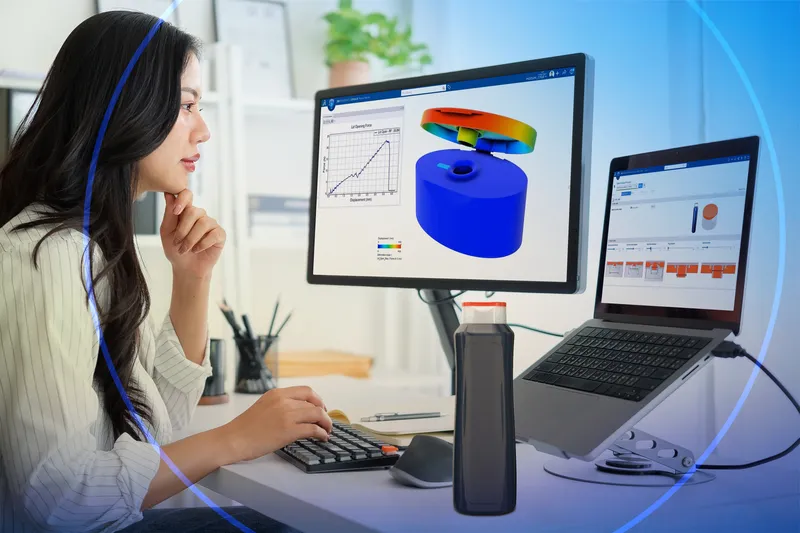
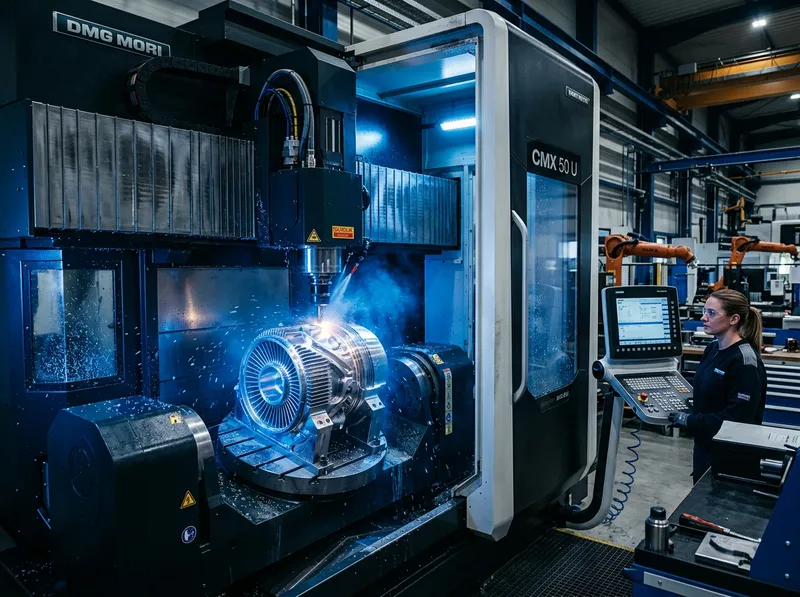
Morphos sells SOLIDWORKS Design, SOLIDWORKS CAM, and DELMIAWorks from the same practice. That means the integration between your CAD data, CAM programs, and ERP production orders is handled by one team who understands all three. No middleware, no connector to maintain.
- SOLIDWORKS PDM to DELMIAWorks BOM handoff
- Machine-level OEE and downtime tracking via MES
- Routing-linked inspection with in-process data capture
Mixed-mode: make-to-order and make-to-stock
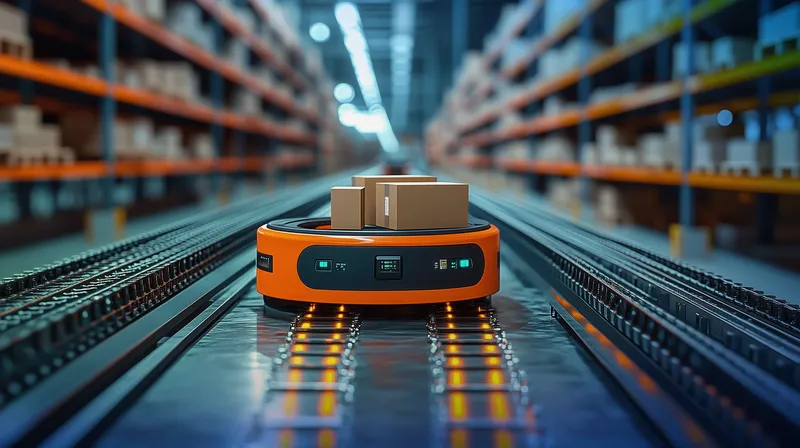
Shops that run both standard catalog products and custom jobs need a system that can handle both without two separate workflows. DELMIAWorks supports make-to-order, make-to-stock, and configure-to-order in the same system — same scheduling engine, same inventory, same financial reporting.
- Mixed production modes in a single system
- MRP-driven purchasing across both demand types
- Unified inventory and costing regardless of order type
Each module in depth
ERP Software
The ERP core covers the full order-to-cash cycle: quoting, sales orders, production scheduling, job costing, invoicing, and financial reporting. Every transaction writes to the same database. Finance, production, and sales look at the same numbers for the same job — no spreadsheet reconciliation.
| Area | Without a unified ERP | With DELMIAWorks |
|---|---|---|
| Order status | Call the shop, check the whiteboard | Live order dashboard, one click |
| Job costs | Month-end allocation, often estimated | Real-time actuals vs. standard, by job |
| Inventory counts | Physical count sheets, weekly or less | Live bin-level count, every transaction |
| Invoicing | Finance re-enters shipping data manually | Auto-generates from confirmed shipment |
| Late jobs | Discovered on the customer call | Visible when the delay starts, not after |
Manufacturing Software
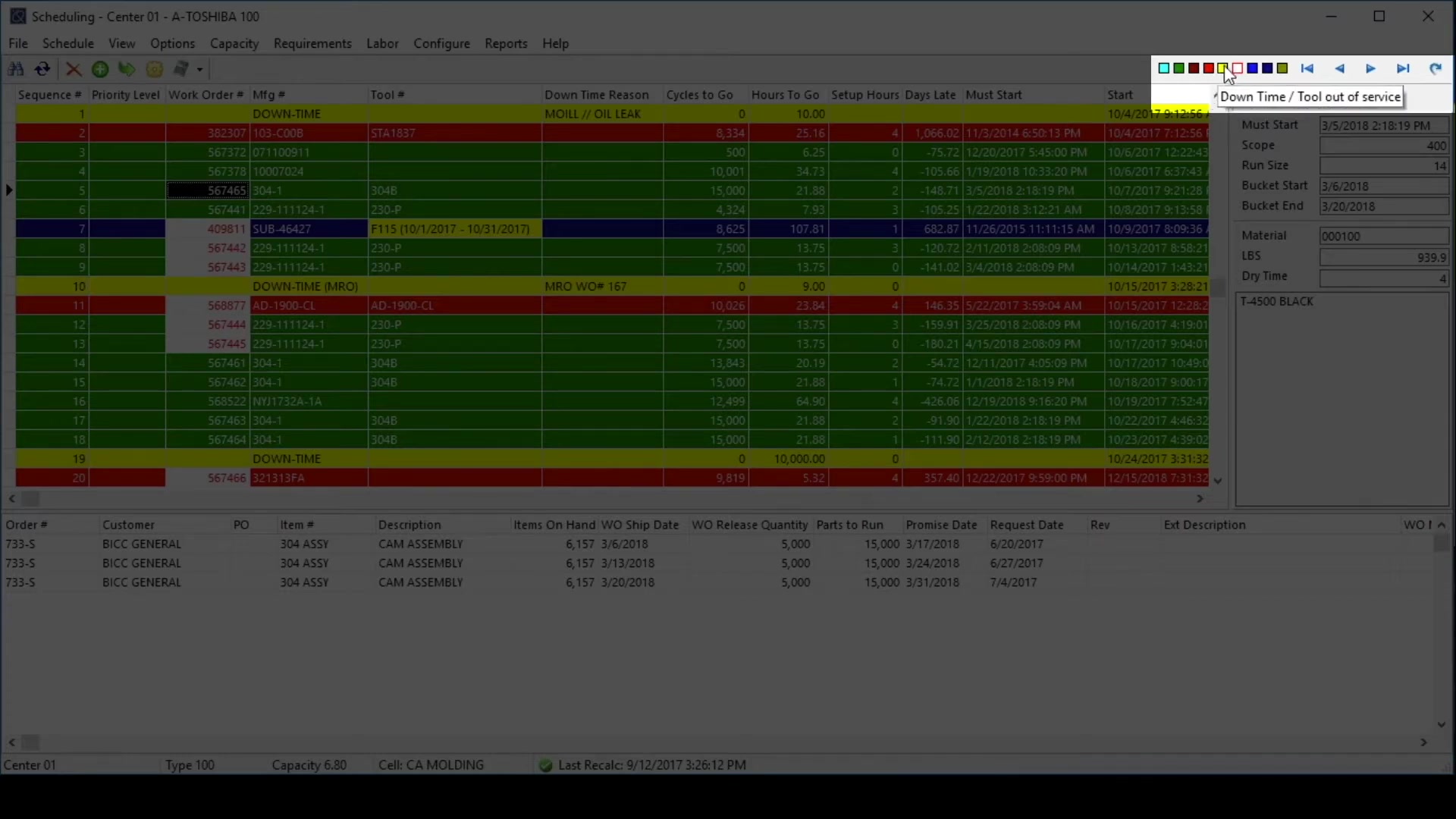
Finite scheduling builds around your actual machine capacity and tells you whether a due date is achievable before you commit. Routings define how each job moves through your shop. Cost variances surface in real time — when a job runs over hours, you see it that day, not at month-end close.
Manufacturing Execution System (MES)
Live visibility into every machine, operator, and job on the floor. Operators clock into jobs from terminals at the machine. Quality checkpoints are enforced in the routing — an operator can’t close an operation without logging the required inspection result. The output: which jobs are running, which are behind, where the bottleneck is — without walking the floor.

| Floor Event | Captured by | Feeds into |
|---|---|---|
| Job start / stop | Operator at floor terminal | Labor costing, WIP status, on-time tracking |
| Machine downtime | Auto-detected or operator-logged | OEE report, downtime root-cause analysis |
| In-process inspection | Operator at quality checkpoint | QMS inspection record, lot data |
| Scrap / reject | Operator at close of operation | Scrap rate, production variance report |
| Setup time | Operator clock-in at start of setup | Setup vs. run split in job costing |
Quality Management Software (QMS)
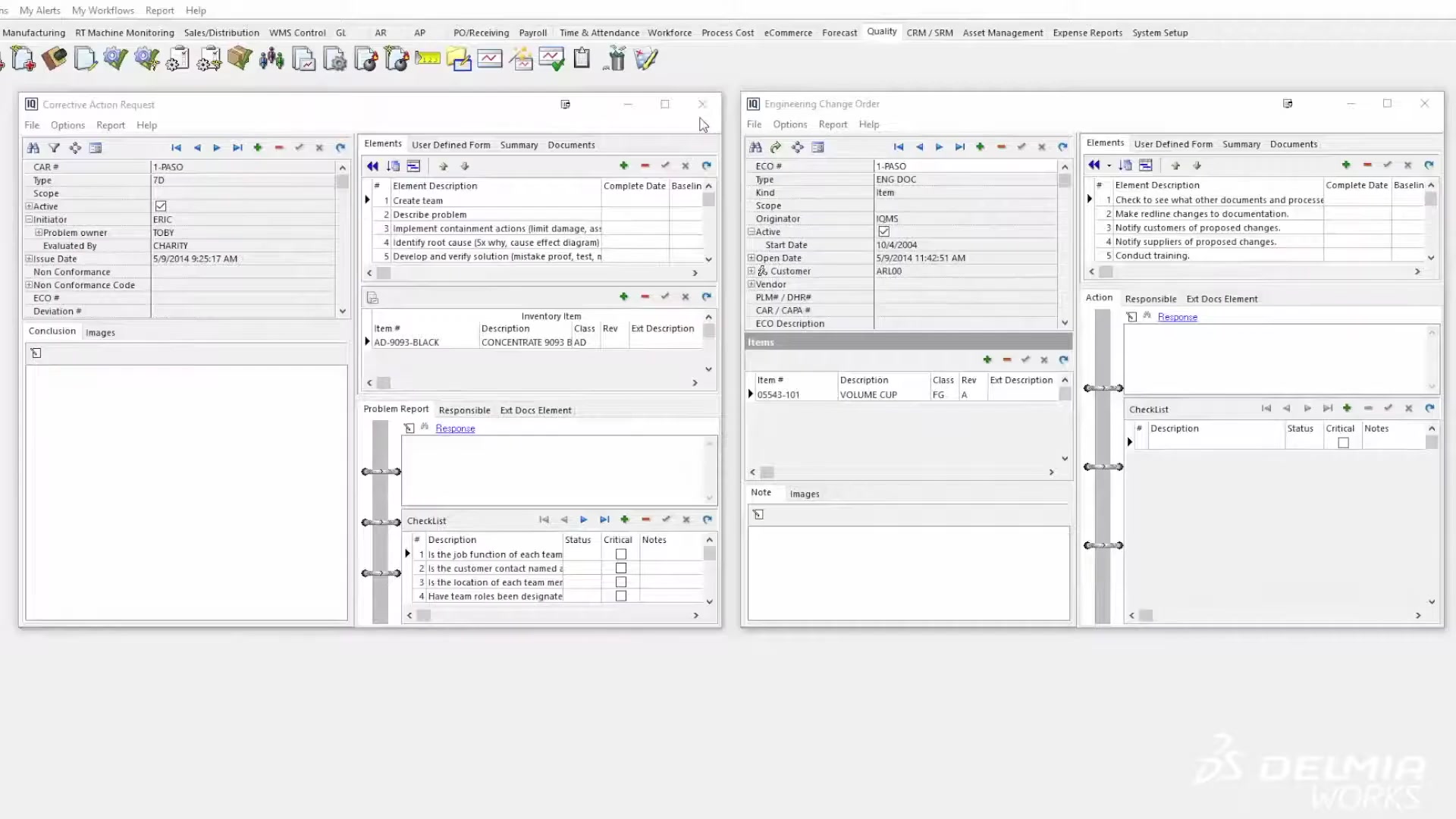
Quality records are connected directly to the jobs that generated them. When an auditor asks for the inspection record for a specific part on a specific work order, you pull it in seconds. Inspection plans are tied to item masters and routings — new jobs automatically inherit the right quality requirements. AS9100, ISO 9001, IATF 16949, FDA, and ITAR ready.
| Requirement | AS9100 | ISO 9001 | IATF 16949 | DELMIAWorks Feature |
|---|---|---|---|---|
| Inspection records | ✓ | ✓ | ✓ | Inspection plans + dimensional data capture |
| NCR / nonconformance | ✓ | ✓ | ✓ | NCR module with disposition workflow |
| CAPA tracking | ✓ | ✓ | ✓ | Corrective & preventive action module |
| Lot traceability | ✓ | — | ✓ | Lot & serial tracking, raw material to ship |
| Audit trail | ✓ | ✓ | ✓ | System-wide audit log + document control |
| Certificate of Conformance | ✓ | — | ✓ | Auto-generated CoC per shipment |
Warehouse Management System (WMS)
Bin-level, transaction-based inventory. Every piece of material has a location, and every movement — receiving, putaway, picking, kitting, and shipping — generates a record. Raw material through finished goods in one module. No separate warehouse app, no interface to maintain.

Electronic Data Interchange (EDI)

Incoming 850 purchase orders create sales orders automatically. When you ship, the system generates the 856 ASN and 810 invoice and transmits them without manual intervention. The EDI translator runs inside the same database — no third-party middleware with its own support contract.
Supply Chain Management
MRP-driven purchasing against your BOMs and on-hand inventory — the system tells you what to buy, how much, and when. Supplier portals give vendors visibility into open POs and upcoming requirements. They confirm delivery dates and submit ASNs directly into the system, cutting the back-and-forth that slows purchasing at every shop.

| MRP Looks At | MRP Calculates | Purchasing Action |
|---|---|---|
| Open sales orders & demand forecast | Gross material requirement | Review planned purchase orders |
| On-hand inventory by bin location | Net requirement (gross − on hand − on order) | Firm POs for items below reorder point |
| Supplier lead times per item | Order-by date to meet each due date | Issue POs with correct delivery window |
| Open purchase orders already placed | Projected future inventory position | Expedite, defer, or cancel based on demand shifts |
Is DELMIAWorks the right call for your shop?
DELMIAWorks is a purpose-built platform for discrete manufacturers. Use the grid below to see where it fits and where it doesn’t.
This fits if…
- You run a discrete manufacturing operation—job shop, contract manufacturer, or OEM supplier
- You have multiple disconnected systems today (accounting + spreadsheet + standalone production tracking)
- You’re growing past what manual coordination can handle—typically 20–100 employees, though operational complexity matters more than headcount
- You’re under increasing audit or documentation pressure from customers or certifying bodies
- You want one platform that connects your SOLIDWORKS engineering data through production and shipping
- You have an internal champion who can own the implementation and make configuration decisions
This is NOT a fit if…
- Sub-10-person shop with simple operations and one or two machine types—the implementation ROI is hard to justify
- Pure job shop with minimal repeat work, no inventory complexity, and no downstream audit requirements
- High-volume continuous-flow or process manufacturing—DELMIAWorks is built for discrete parts, not batch or process production
- You need fully cloud-native deployment with no on-premise option—DELMIAWorks has cloud options but has historically been on-premise and managed-hosted
- Your organization isn’t ready to commit the internal bandwidth an ERP implementation requires
Not sure where you land? Let’s talk through your operation and find out.
What implementation actually looks like
ERP implementation is a process change project that happens to involve software. Most VARs tell you what you want to hear to close a deal. We’d rather tell you what’s true.
Honest timeline: For a small-to-mid manufacturer implementing the core suite, the realistic range is three to nine months. Shops with clean data, documented processes, and a dedicated internal champion land at the short end. Shops working from institutional knowledge and undocumented workflows take longer—not because the software is difficult, but because the implementation surfaces every process that was never written down.
What Morphos and our certified implementation partners handle
- Discovery and requirements scoping
- System configuration to your processes
- Data migration (items, BOMs, customers, vendors, open orders)
- User training—functional and administrative
- Post-launch support and optimization
What your team owns
- Process documentation before configuration begins—we can’t build what isn’t defined
- An internal champion with authority to make configuration decisions
- Data cleanup before migration—garbage in, garbage out
- Change management with your team—most implementation failures are people problems, not software problems

Prerequisites that make implementations succeed: A documented understanding of your core workflows (order to invoice, material to ship), a data audit of what’s in your current system and what needs cleanup, and an executive sponsor who can make the call when “how we’ve always done it” conflicts with “how the system needs to work.” We will tell you if we think you’re not ready before you commit.
Estimated Pricing
These are estimated figures to help you plan. Actual pricing depends on scope, user count, and module selection. Contact us for an accurate quote.
We’ll build you a quote based on your actual operation—modules required, user count, current system state, and realistic implementation scope. No generic price tag.
Questions buyers ask before evaluating ERP
What’s the difference between DELMIAWorks and IQMS?
Do I need every module, or can I start small?
How long does implementation typically take?
Can DELMIAWorks integrate with SOLIDWORKS PDM?
What about my current accounting system or legacy ERP?
What size manufacturer does DELMIAWorks fit?