Products Manufacturing / Production SOLIDWORKS CAM

SOLIDWORKS® CAM

CAM That Lives Inside Your SOLIDWORKS

Knowledge-based machining built directly into SOLIDWORKS. CAM Standard is included with every SOLIDWORKS Subscription at no extra cost. CAM Professional adds multi-axis, turning, and nesting for shops that need more.

40%
Reduction in NC programming time with integrated CAM
$0
Additional cost for CAM Standard with active Subscription

SOLIDWORKS CAM

SOLIDWORKS CAM is a fully integrated computer-aided manufacturing solution that runs inside SOLIDWORKS — no file export, no format conversion, no separate window to manage. Your design geometry and your toolpaths live in the same environment, on the same model, with the same feature tree.

  • CAM Standard is included at no extra cost with every active SOLIDWORKS Subscription — if you are on Subscription, you already have it
  • Knowledge-based machining: program a feature once, define the rules for feeds, speeds, and tooling, then apply those rules automatically to similar features on any future part
  • Fully associative: change the geometry and toolpaths update automatically — no reprogramming required

CAM Professional is a paid add-on that unlocks multi-axis milling, turning, nesting, and advanced NC operations for shops with more complex machining requirements.
SOLIDWORKS Authorized Reseller Morphos 3D is an authorized SOLIDWORKS reseller with deep CNC manufacturing expertise.
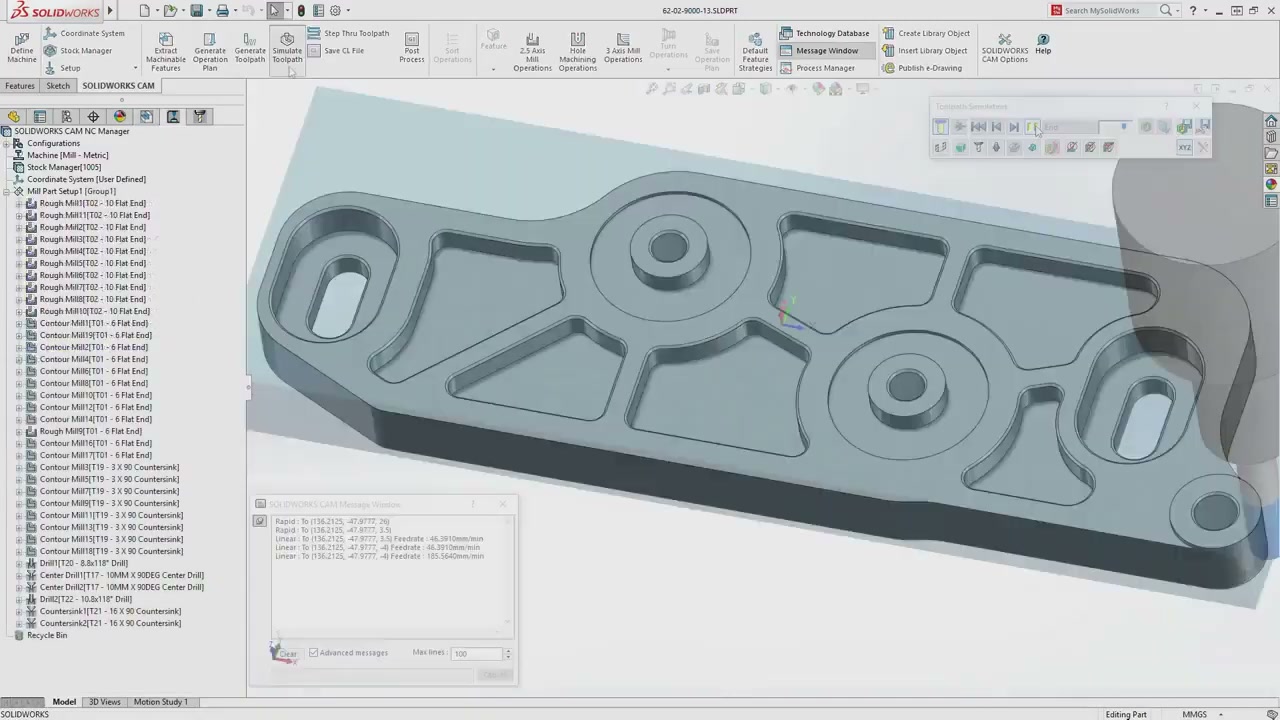
SOLIDWORKS CAM NC Manager tree showing 20-plus machining operations and G-code output log
Already on Subscription? SOLIDWORKS CAM Standard is waiting in your subscription — you just need to activate it. Contact us and we will walk you through setup, post-processor configuration for your specific machines, and your first toolpath in the same call.

SOLIDWORKS CAM Packages

Standard is free with Subscription. Professional unlocks advanced machining operations for shops running multi-axis or turning work.

CAM Professional
Paid Add-On for Advanced Machining

Everything in Standard, plus multi-axis milling, turning, mill-turn, nesting, and high-speed machining toolpaths for shops with complex parts and tight cycle-time requirements.

  • All CAM Standard capabilities
  • 3-, 4-, and 5-axis milling
  • Turning and mill-turn operations
  • True shape nesting for material optimization
  • High-speed machining (HSM) toolpaths
  • Advanced NC Manager with 20+ operation types
  • Probing cycles and machine simulation
Get a Quote
Available on Device Term License (machine-locked, 3-month or 1-year) or Single-User Subscription (person-tied, any device). Contact us to discuss which fits your shop.

What You Can Do with SOLIDWORKS CAM

Smart Setup
Automatic Machinable Feature Recognition

Automatically identifies pockets, holes, bosses, and contours from your 3D model — no manual face selection required.

  • Recognizes pockets, slots, holes, bosses, and contour features
  • Highlights unrecognized geometry so nothing gets missed
  • Feeds directly into the NC Manager operation tree
  • Works on native SOLIDWORKS geometry and imported files
  • Reduces setup time significantly on repeat or family-of-parts jobs
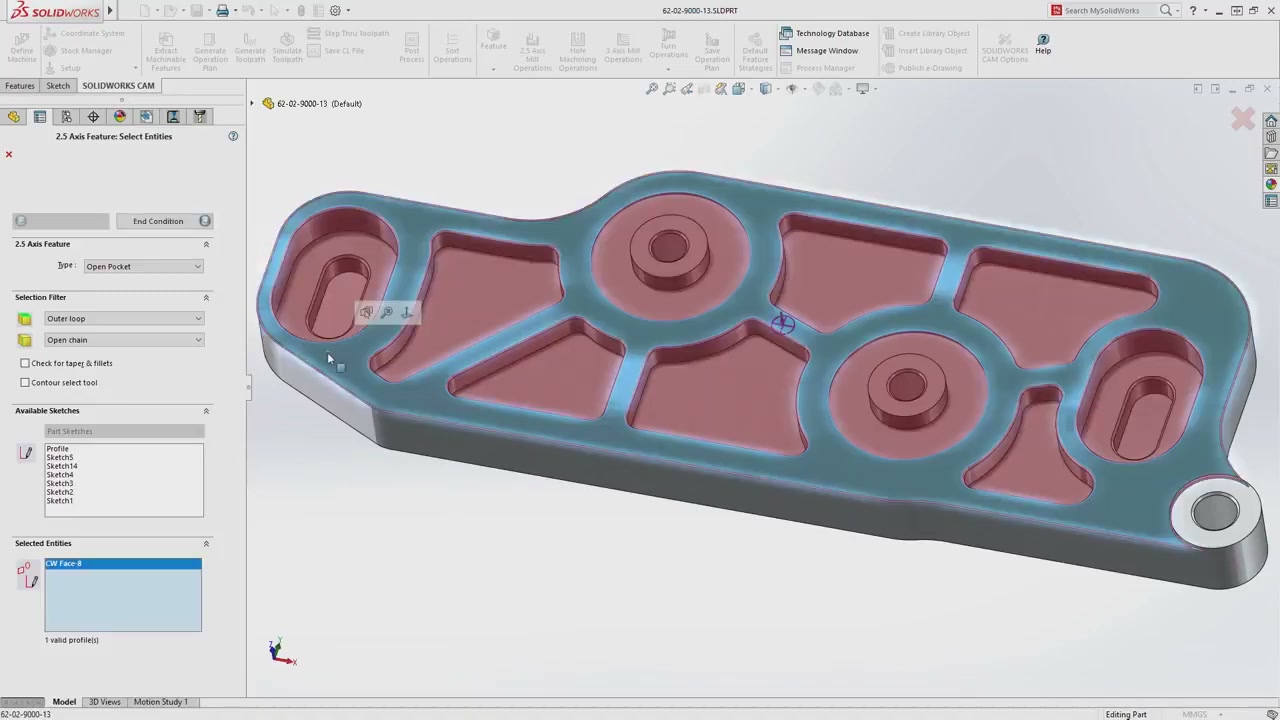
SOLIDWORKS CAM machinable feature selection with pink highlight overlays on part geometry
For high-mix shops: When you are running a different part every day, automatic feature recognition cuts the time between receiving a model and generating your first toolpath. Your programmer spends time optimizing — not manually picking faces.
Knowledge Reuse
Knowledge-Based Machining Rules

Define machining rules once — feeds, speeds, tool selection — and the system applies them automatically to every matching future part.

  • Define machining rules per feature type, material, and machine
  • Rules persist across jobs — program once, reuse everywhere
  • New programmers produce consistent results from day one
  • Captures senior machinist expertise before it walks out the door
  • Reduces NC programming time by up to 40% on repeat parts
SOLIDWORKS CAM NC Manager tree with 20-plus machining operations and G-code log panel
The talent crisis angle: Experienced CNC programmers are retiring. Knowledge-based machining stores their expertise so it does not leave with them. We help shops build their rule libraries during implementation.
Design-to-Manufacture Link
Fully Associative Toolpaths

Toolpaths are linked directly to SOLIDWORKS geometry. When the design changes, regenerate — no manual NC reprogramming required.

  • Toolpaths linked directly to SOLIDWORKS model features
  • Geometry changes automatically propagate to NC operations
  • Eliminates the manual re-programming loop on ECNs
  • Works with configurations — machine multiple variants from one model
  • Synchronizes with design revisions in PDM environments
SOLIDWORKS CAM toolpath simulation showing material removal with color-coded stock
Real shop impact: Late design changes are one of the biggest sources of re-work in job shops. Associativity means you can accept a late ECN and update your programs in minutes rather than starting over. That is billable time recovered.
CAM Professional
Turning, Multi-Axis, and Nesting

Adds multi-axis milling, turning, mill-turn, nesting, and high-speed machining for shops with complex parts or lathes.

  • 3-, 4-, and 5-axis simultaneous milling
  • Turning: roughing, finishing, grooving, threading, facing
  • Mill-turn support for combined operations
  • True shape nesting for plate and sheet stock
  • High-speed machining (HSM) toolpaths for hard materials
  • Probing cycles for in-process inspection
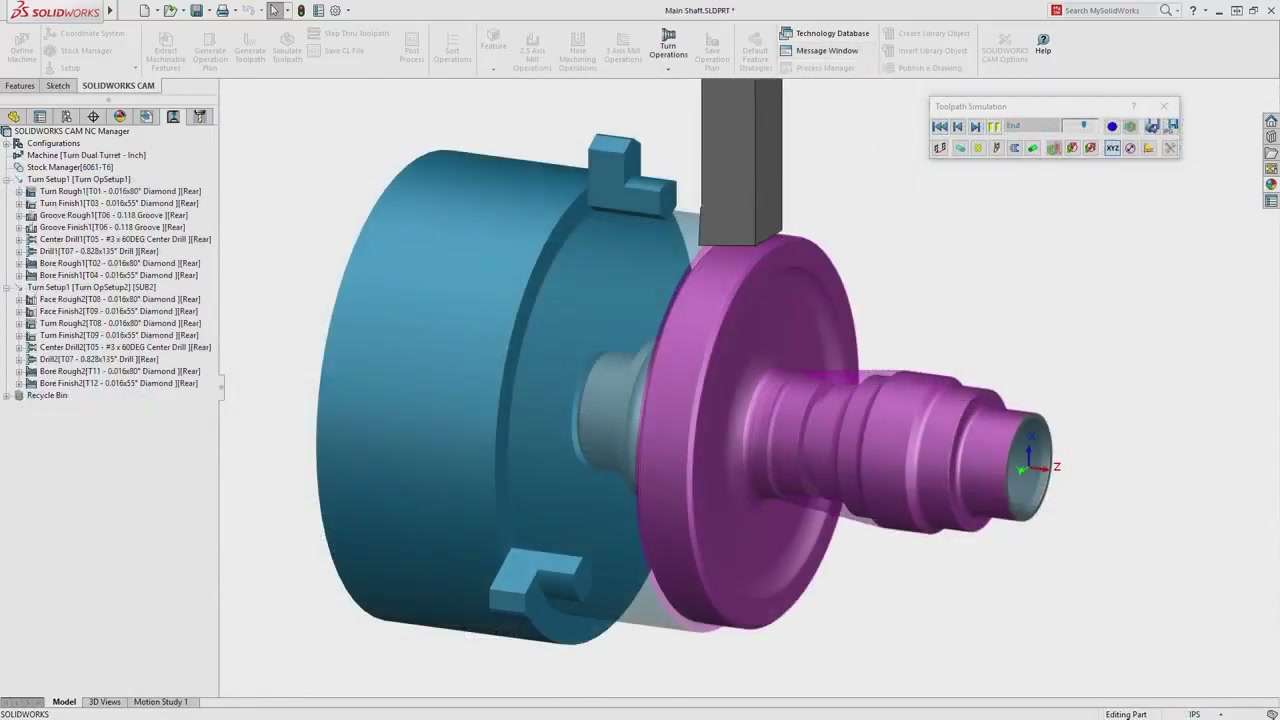
SOLIDWORKS CAM turning simulation showing lathe chuck and part profile with toolpath overlay
Who needs Professional: If you run a lathe, a mill-turn center, or a 5-axis machine, CAM Standard will not cover those operations. CAM Professional is the add-on that brings all of them into the same SOLIDWORKS environment. Contact us and we will confirm which tier your machine mix requires.

Post-Processor Configuration and CAM Setup

We configure post-processors for your specific machines so your G-code is correct for your shop floor on day one — not "close enough."

  • Post-processor build and validation for your machine controllers
  • Knowledge base setup with your shop's feeds, speeds, and tool libraries
  • First-part walkthrough: model to machine with your team on a real part

Common Questions About SOLIDWORKS CAM

Yes. SOLIDWORKS CAM Standard is included with every active SOLIDWORKS Subscription Services membership — the same subscription that gives you annual version updates and technical support. You do not pay anything extra to use it. If you are already on Subscription and have not activated CAM Standard, contact us and we will get you set up.
CAM Standard covers 2.5-axis milling — pockets, contours, holes, and facing operations on vertical machining centers. CAM Professional adds multi-axis milling (3-, 4-, and 5-axis), turning and mill-turn operations, true shape nesting, and high-speed machining toolpaths. If you run a lathe, a mill-turn, or a 5-axis machine, you need Professional. If you only run a 3-axis vertical mill, Standard may be sufficient.
It means you define rules — once — that tell SOLIDWORKS CAM how to machine specific feature types on specific materials using specific tools. For example: "When you see a pocket in 6061 aluminum, use a 1/2 inch endmill at 12,000 RPM and 80 IPM with these stepovers." Once that rule exists, every pocket in aluminum on every future part will automatically propose those same parameters. You still review and approve, but the system does the repetitive decision-making. Shops that invest time in building their rule library see the biggest productivity gains.
SOLIDWORKS CAM uses the same post-processor technology as CAMWorks and comes with a library of generic posts for common controls (Fanuc, Siemens, Haas, Mazak, and others). In most cases, the generic post gets you 90% of the way there. The last 10% — machine-specific cycles, subroutine formats, canned cycle syntax, and custom macros — requires configuration. We provide this as part of our implementation service so your G-code is correct for your specific machine, not just "close enough."
Because SOLIDWORKS CAM is embedded inside SOLIDWORKS, the toolpaths are linked to the actual model features — not to a snapshot of the geometry at the time you programmed it. When a feature changes size or position, CAM flags the affected operations and you can regenerate them with one click. The operation type, tool selection, and parameters stay the same — only the geometry updates. You do not need to rebuild the program from scratch.
Yes. SOLIDWORKS CAM works on any geometry that is open in SOLIDWORKS — including STEP, IGES, Parasolid, and native files from Inventor, Creo, or Siemens NX. Feature recognition runs on the imported solid body. For dumb solids (imported geometry with no feature tree), you can still manually select faces and define operations. Knowledge-based rules apply regardless of file origin.

Ready to put CAM inside your SOLIDWORKS?

We can activate CAM Standard on your existing Subscription today, or put together a quote for CAM Professional. Either way, we configure the post-processor for your machines and make sure your first toolpath actually works.

Get a Quote Talk to a Specialist